
One conversation to follow
Customer messages and your replies stay together from first contact to resolution.
No more forwarded context
Connect Gmail, Outlook or your support domain. Each message lands in an Inbox with an owner, SLA and the history needed to answer it.
No card needed today.
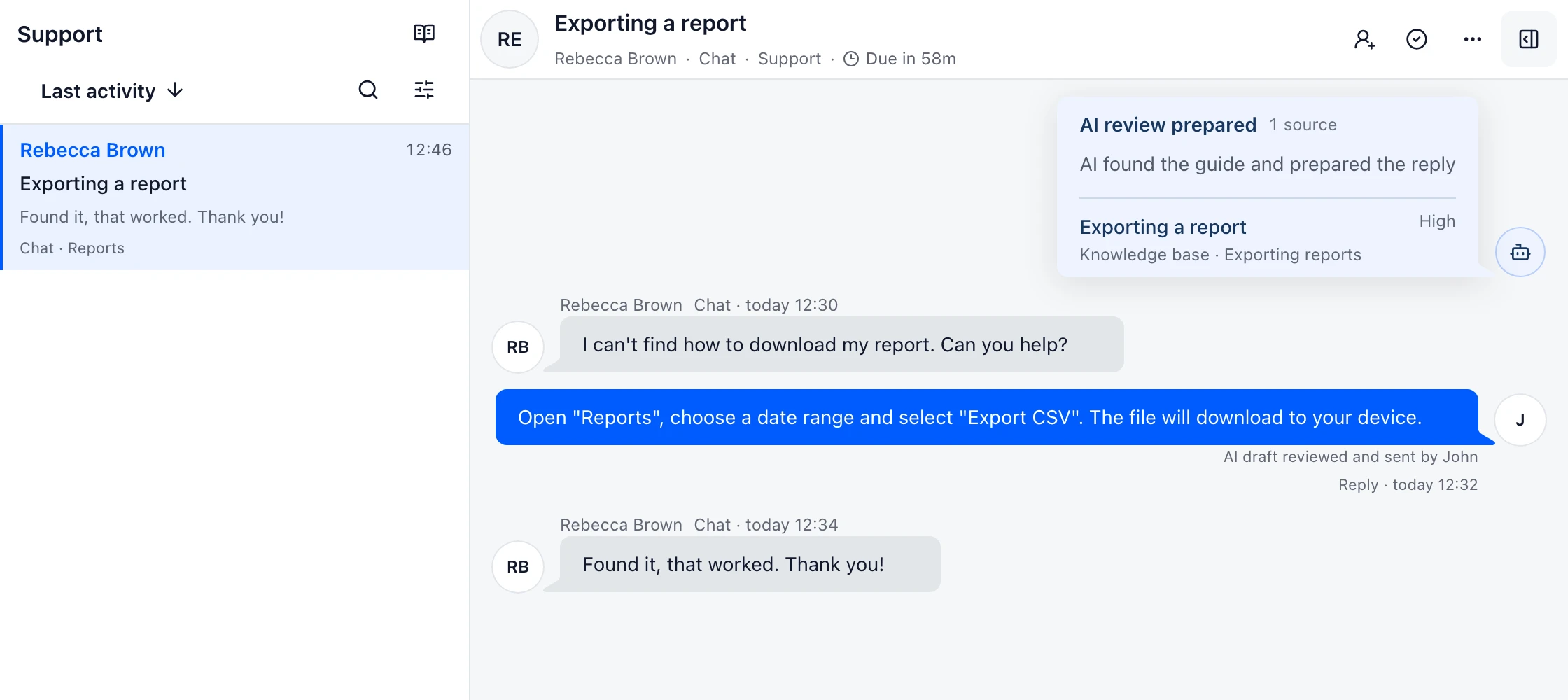
Customer messages and your replies stay together from first contact to resolution.
Assign the conversation or hand it to another teammate without forwarding copies.
Keep private notes and customer history beside the reply.
Getting started
Start with the support address your customers already use.
FAQ
Email support software turns incoming customer email into assigned work. It keeps the original thread while adding ownership, internal notes, service targets and customer history for the team.
Yes. Customers keep writing to the address they already use. DobroDesk connects that address to an Inbox where the team can route and answer the conversation.
A shared mailbox gives people access to email. Email support software also records who owns the next step, what happened before and whether the request is waiting, at risk or resolved.
Ready to test the full email path?
Send a real message, assign it, reply from the same address and check the handoff.
No card needed today.