
Understand the request
Use a summary to catch up without rereading the whole conversation.
Less searching. More helping.
AI finds relevant knowledge and prepares a draft. Your team reviews it, adds the human touch and sends a helpful answer.
No card needed today.
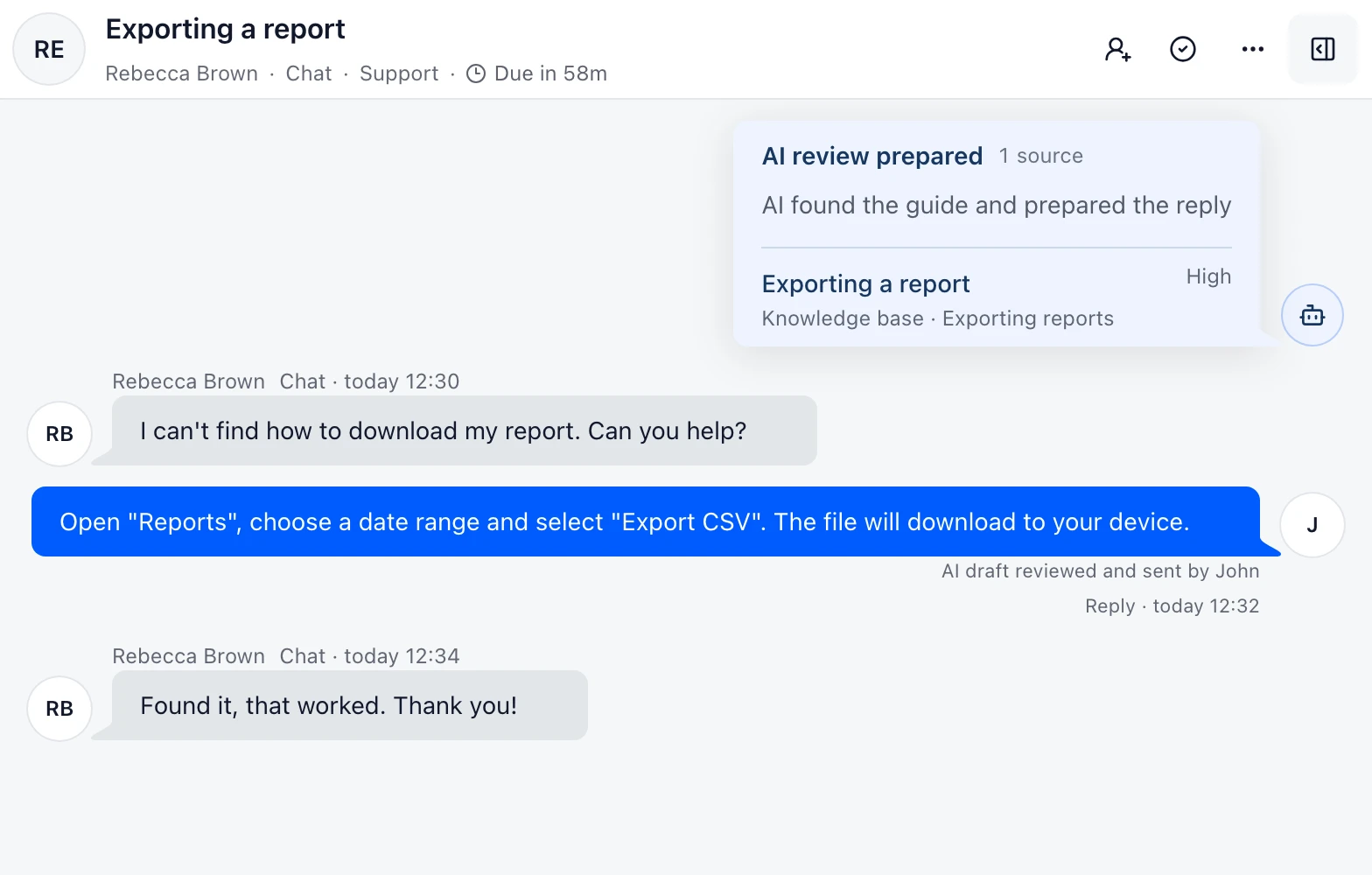
Use a summary to catch up without rereading the whole conversation.
Bring relevant approved sources beside the customer question.
Start with a draft your teammate can review and edit.
Add the articles and documents your team already uses. Approve the sources and choose which Inboxes can use them. A separate knowledge integration is optional.
Approve and scope support knowledgeDobroDesk starts with approval-only drafts. Your team decides what reaches the customer. Automatic replies are a separate choice for eligible routine questions; sensitive requests stay with a person.
Choose the reply mode and scopeTest familiar questions in the languages you support. Check the source and draft together, then improve your knowledge before expanding automation.
Test knowledge, confidence and handoff for the widgetWhen a teammate takes over, the request, history and proposed answer stay in the conversation. The customer can continue without starting again.
Set up conversation ownership and routingCustomer messages, support context, drafts and outputs are not used to train AI models.
Try it with your own knowledge
Connect an approved source and review your first draft together with the team.
No card needed today.