
Unassigned means nobody owns it yet
Opening a message does not claim it. New work stays visible until a teammate takes it or a rule assigns it.
One address. Clear ownership.
Keep the support address customers know. Give each teammate a separate account and keep the owner, private notes and reply in the same conversation.
No card needed today.
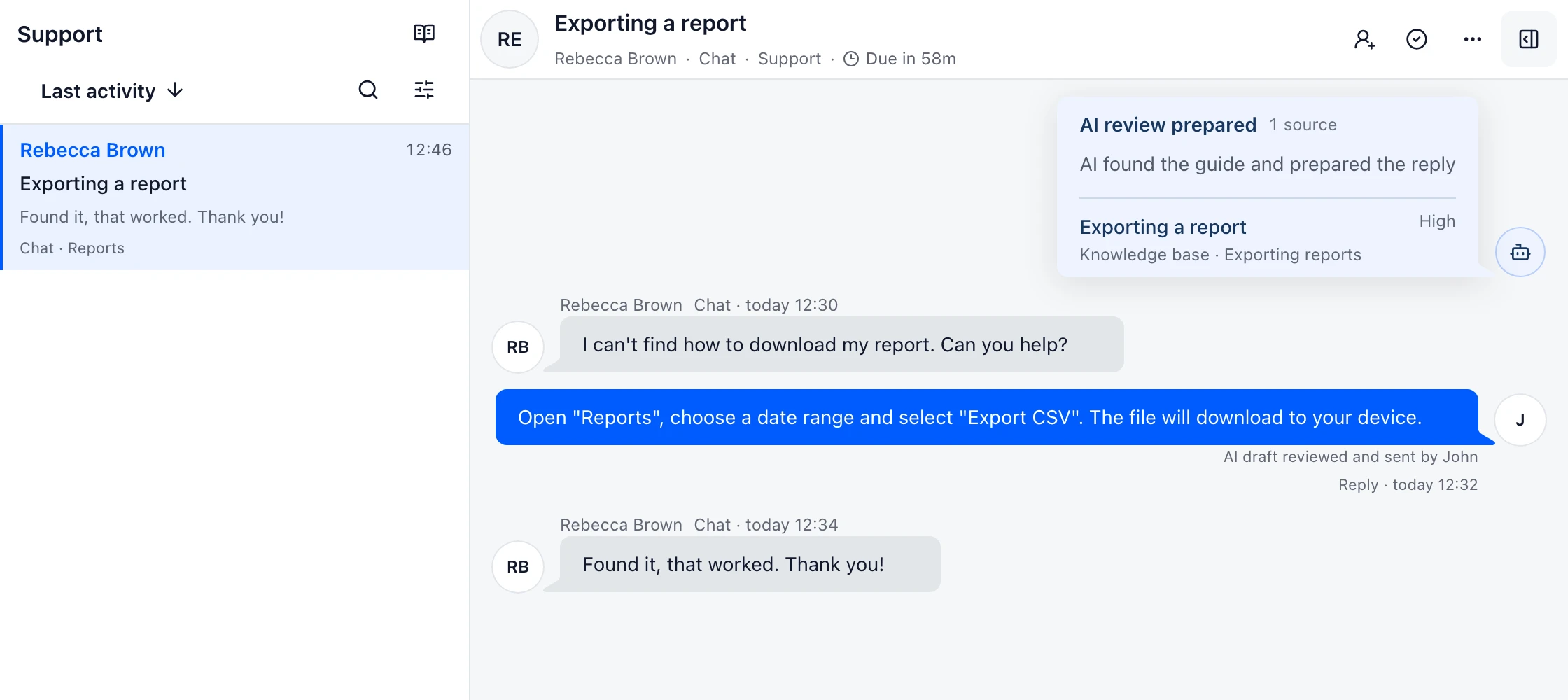
Opening a message does not claim it. New work stays visible until a teammate takes it or a rule assigns it.
Change the assignee, add a private note and keep the customer thread, attachments and promise together.
Routine answers can use approved knowledge. Money, privacy, security and weak evidence stay with a person.
Make it yours
Start with one address and one team. Add more Inboxes as your support grows.
Compare Gmail delegation, Google Groups Collaborative Inbox and DobroDesk for a Google Workspace support address with ownership, notes and history.
Choose email management software by workflow: personal inbox cleanup, shared mailbox collaboration or customer support ownership, history and service targets.
Compare a shared inbox with a shared mailbox for customer support, including ownership, Google Workspace and Gmail setup, reply safety, handoffs and queue reporting.
FAQ
A shared mailbox gives multiple people access to one address. A shared inbox adds ownership, workflow, collaboration and visibility so the team can actually run support from it.
Teams handling support@, help@, billing@ or operations email that have outgrown personal inbox forwarding and manual status tracking.
No. The product is built around human support teams, with AI helping on repetitive work and simple lookup-heavy cases.
The conversation has a visible owner and reply state. Teammates can see who has taken the request and keep coordination in private notes instead of starting a second reply.
Ready to try this with your team?
Connect one support address, invite the people who answer it and test the handoff on real work.
No card needed today.