Support analytics

See where support work moves forward and where it stalls

Connect response time, SLA risk, Inbox load and AI outcomes to the conversations your team can act on next.

No card needed today.

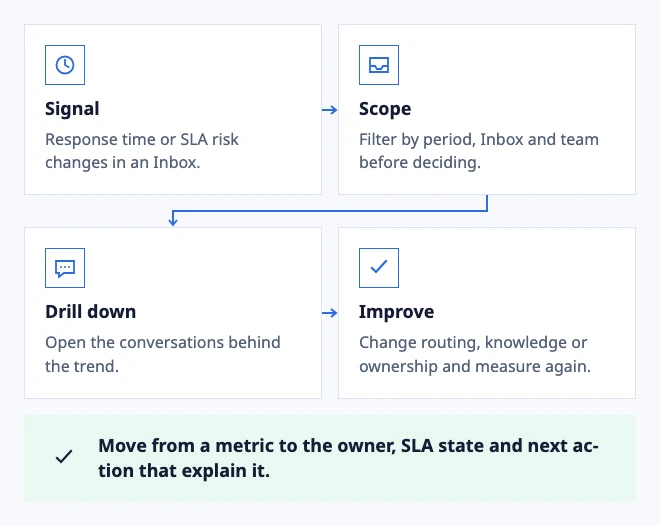
A support signal you can act on

Dobrik points to the features in this support workspace
A support signal you can act on
  • Signal: Response time or SLA risk changes in an Inbox.
  • Scope: Filter by period, Inbox and team before deciding.
  • Drill down: Open the conversations behind the trend.
  • Improve: Change routing, knowledge or ownership and measure again.

Move from a metric to the owner, SLA state and next action that explain it.

Example: connect queue health to the conversations behind it.

In the workflow

What changes once the work is visible.

  1. 01

    Use analytics to find the next support decision

  2. 02

    Measure AI by outcomes and handoffs

  3. 03

    Open the conversations behind a trend

Use analytics to find the next support decision

A useful dashboard does more than report a number. Compare response time, SLA risk, Inbox load and unresolved work to identify which queue or ownership rule needs attention today.

Keep the time range, Inbox and team scope visible so a manager can tell whether a change reflects real work or a different filter. Metrics should explain operating context before they suggest an intervention.

Start with clear Inbox ownership

Measure AI by outcomes and handoffs

Count more than generated drafts. Review which conversations used AI assistance, which drafts were approved or edited and where a teammate took over because evidence was missing or the request was sensitive.

A lower response time is not an improvement if the answer creates rework. Pair AI activity with customer follow-up, escalation and resolution signals before expanding automation.

Review AI drafts with visible evidence

Open the conversations behind a trend

When a metric changes, open the underlying conversations and inspect owner, Inbox, SLA state, customer context and the next reply. A drill-down turns a chart into a concrete workflow question.

Save a report when the question is recurring, then return to the same scope after a routing, knowledge or staffing change. Keep source conversations available so the team can verify what improved.

Connect analytics to operations ownership
Dobrik celebrates a clearer way to resolve customer questions

Start with one inbox

Connect email or add chat to your website.

Choose a support address or place the widget on your site. Then assign requests and reply from the conversation.

No card needed today.