Use case

Operations email with clearer ownership

Turn operations email into assigned work with visible status, full request history and fewer manual trackers across support, finance and backoffice.

No card needed today.

A handoff with a clear next action

Dobrik points to the support email channel
A handoff with a clear next action
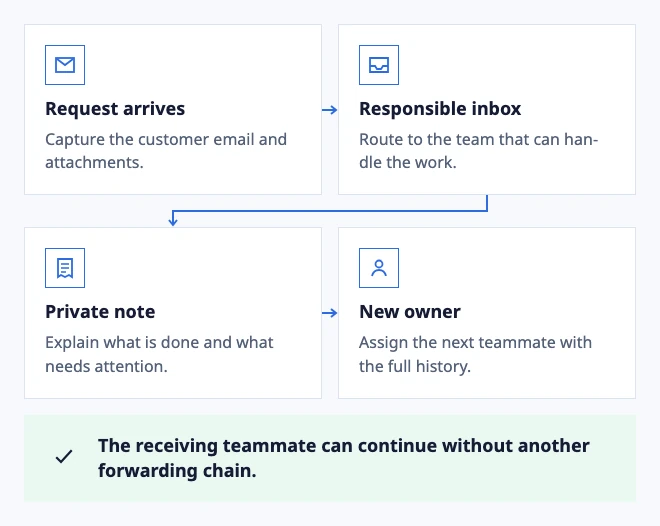
  • Request arrives: Capture the customer email and attachments.
  • Responsible inbox: Route to the team that can handle the work.
  • Private note: Explain what is done and what needs attention.
  • New owner: Assign the next teammate with the full history.

The receiving teammate can continue without another forwarding chain.

Example: an operations request moves between teams.

In the workflow

What changes once the work is visible.

  1. 01

    Route an operations request and verify the destination Inbox and owner.

  2. 02

    Move the conversation between teammates without creating a second thread.

  3. 03

    Open the analytics signal and trace it back to the delayed conversation.

Pass the task on without forwarding the thread

An order update needs input from operations. Move the conversation to the right Inbox and leave a note about the next step. The customer history goes with it.

A clear owner and shared context help the next teammate continue the work, even when the original contact is away.

Configure team eligibility and routing

Make the handoff useful for the next shift

An operations request should carry the decision needed next, the person or provider involved and any promised timing. A short internal note is more useful than forwarding the entire thread with no explanation.

Review a delayed order, an exception and a request that returns to support. The next owner should see what was checked, what remains open and which customer update is due.

Configure an operational handoff

Connect a support email you can use today

Bring support messages into one place with an email connection your workspace can authorize. Review routing before you invite customers.