Feature

Shared inbox workspace for support teams

Give every support email an owner, SLA, private notes and complete customer history without changing the address customers already use.

No card needed today.

Different channels. Clear ownership.

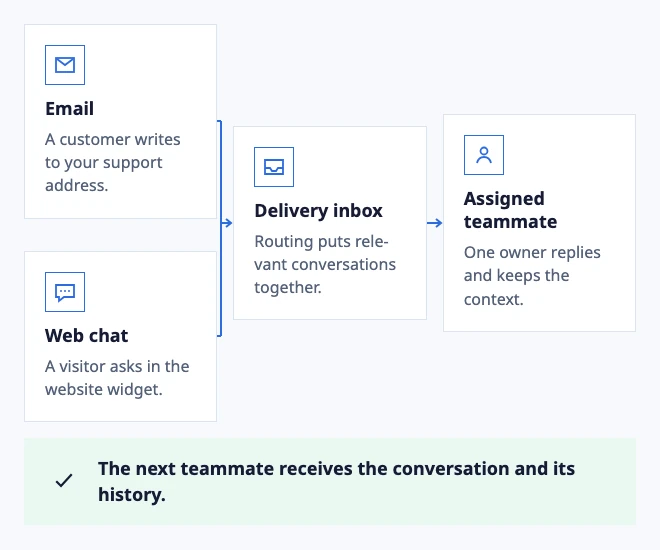
Dobrik points to one shared inbox for customer conversations
Different channels. Clear ownership.
  • Email: A customer writes to your support address.
  • Web chat: A visitor asks in the website widget.
  • Delivery inbox: Routing puts relevant conversations together.
  • Assigned teammate: One owner replies and keeps the context.

The next teammate receives the conversation and its history.
Example: a delivery question moves to the right team.

In the workflow

What changes once the work is visible.

  1. 01

    Open an unassigned conversation and assign it without leaving the Inbox.

  2. 02

    Add a private note and confirm it never appears in the customer reply.

  3. 03

    Reopen a follow-up and verify the previous owner, SLA and timeline are intact.

Hand over the work, keep the context

A delivery question needs another teammate. Change the owner and leave a private note in the conversation. The next person sees the original request and can pick up where you left off.

Inbox access and assignment stay separate: your team can share a queue while each conversation has a clear owner.

Move work without losing its context

Make the queue readable at a glance

Use the Inbox for the work that must happen next, not as a second copy of your mailbox. Keep unassigned, waiting and at-risk conversations visible so a teammate can decide what to take without asking in another chat.

Start with one support address and a small team. Add another Inbox when the next action, service target or access boundary is different. That keeps the layout useful as the team grows instead of turning every topic into a separate queue.

Set response targets and business hours

Route by the next action, not only by the subject

A message about an order may need a delivery update, a payment check or a product answer. Route it to the Inbox that can take the next action, then keep the conversation available when another team must contribute.

Test a normal message, an ambiguous request and a reply from the customer after a handoff. The destination, owner and customer-visible reply should remain understandable in each case.

Configure routing and assignment
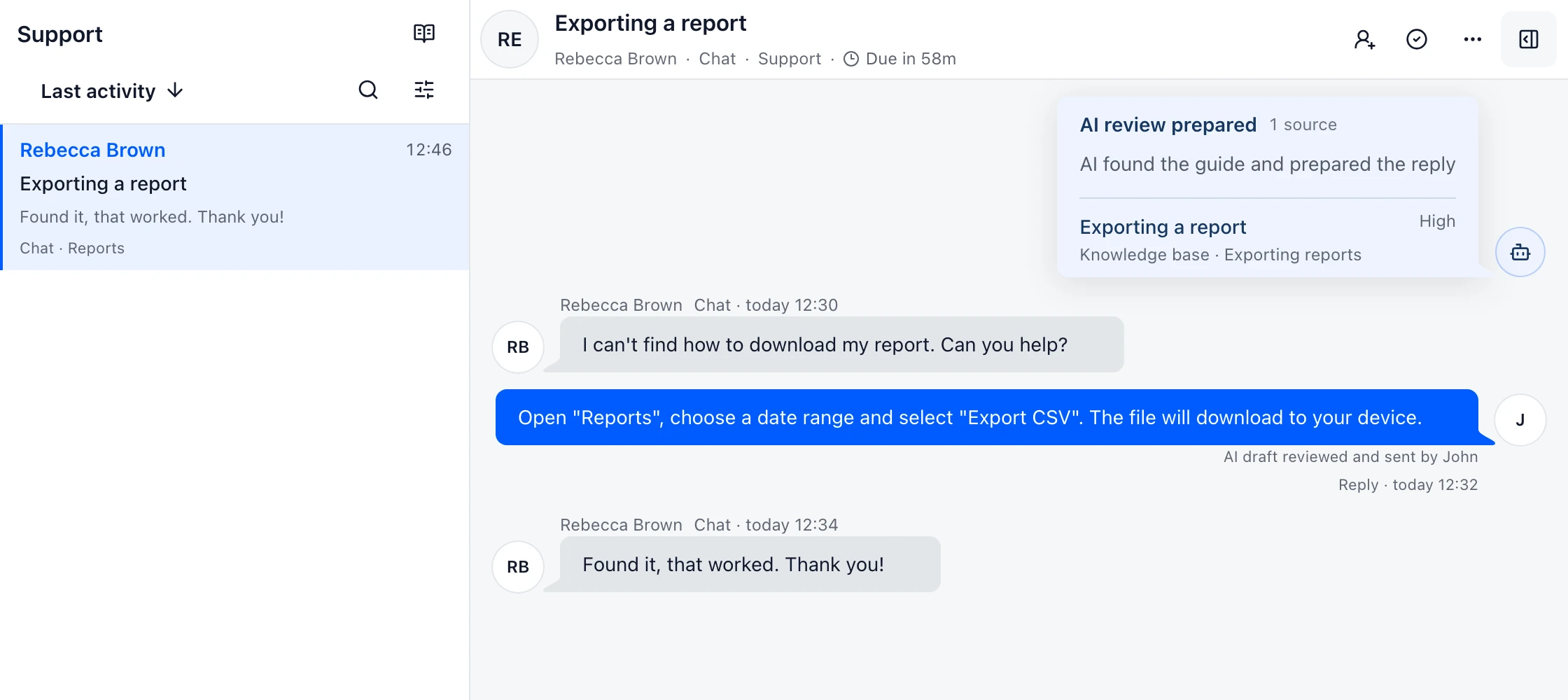
Example support conversation in DobroDesk
Exporting a reportKnowledge base · Exporting reports

See support work in one Inbox

Keep customer messages, ownership and the next action together so the team can move a conversation forward without losing context.