

Add in-app support with the DobroDesk Mobile SDK
Add in-app support to iOS, Android or cross-platform apps with DobroDesk Mobile SDK 0.2.0, clear release boundaries and human ownership.
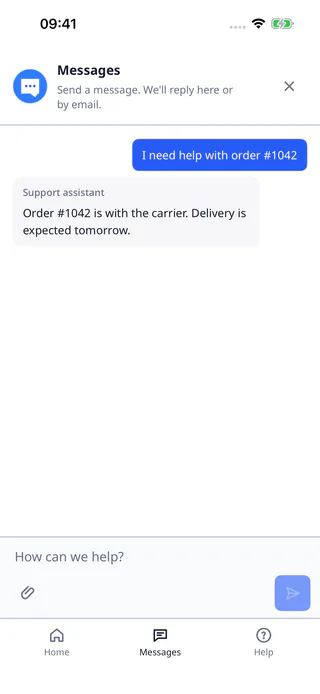
In-app support is useful when the customer is already looking at the product that created the question. A native support surface can preserve that context, but it still needs a clear conversation owner and a reliable route to the team.
Know what the 0.2.0 release contains
DobroDesk Mobile SDK 0.2.0 is distributed as an artifact-only release. The published release covers iOS, Android, Capacitor, React Native and NativeScript integrations, with a Flutter package named dobrodesk_sdk at version 0.2.0. The native implementation source is excluded from the public package.
Start by choosing the host platform and the release asset that matches it. The public SDK repository documents immutable assets and checksums, while the platform guides cover the setup details for iOS and Android. Pin the version you tested so an unrelated package update cannot change the support surface unexpectedly.
Open support from the right app context
Open support from a useful product context. Pass the customer or account context that the host is allowed to share and explain what the customer can do in the support view. The SDK presents the in-app path. DobroDesk continues to handle the conversation, shared Inbox work and the team's approved support knowledge.
Treat permissions and optional capabilities as host decisions. The Android voice and push artifacts are optional opt-in packages, and the host application owns the relevant microphone or notification permissions. Do not describe these optional artifacts as a universal push or voice guarantee in product copy.
Design recovery and permission paths
Build the fallback path before the first release. If the customer is offline, the host cannot provide a required permission or the SDK cannot complete its setup, show a clear recovery path and preserve the support intent. A useful fallback explains what the customer can do next instead of silently dropping the request.
Test the same support scenario on every supported host you plan to ship. Check cold start, restored session, locale, back navigation, keyboard behavior and the return path into the app. Then test a handoff from the mobile conversation to a teammate and confirm the context remains understandable in the shared Inbox.
Test the release boundary before shipping
Keep the SDK release boundary visible to the team. Record the version, platform, checksum and host permissions in the integration notes. When upgrading, compare the published release notes and repeat the conversation and restored-session checks before changing the version in production.
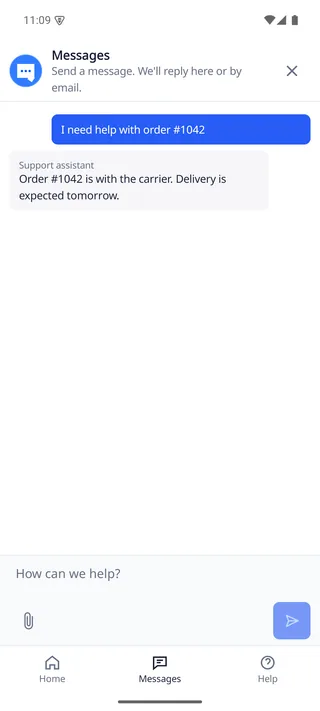
A good mobile support integration feels native at the entry point and consistent in the support operation behind it. Keep the customer journey short, keep ownership explicit and use the public SDK guides as the source for the capabilities that are actually available in the release you ship.
Set up mobile support from the SDK
Choose your iOS, Android or framework guide, pin a released SDK version and open support from a product context your app can share.