How to build a customer support knowledge base people can actually use
A practical guide to choosing support topics, writing useful articles, separating public and internal knowledge and testing AI answers against approved sources.
A customer support knowledge base is a maintained collection of answers that helps people complete a task or understand a policy. Its value comes from the questions it resolves, not the number of articles it contains. For a small team, the best starting point is a handful of clear explanations connected to the conversations you already handle. This guide uses the DobroDesk workflow to show how public articles, internal knowledge and AI support can work together without becoming interchangeable.
Choose a task and define a useful answer
Choose topics from recurring customer questions. Review recent conversations and group them by the task someone was trying to complete: connecting an account, finding an invoice or understanding a delivery update. Remove private customer details before turning an example into public content. Pick a topic that has a stable answer and a clear owner. If every case needs an individual investigation, explain what information to provide to support instead of promising a universal solution.
Define the reader and the expected result before writing. A useful article says who it is for, what access or information is required and what should happen after the steps are complete. For example, a receipt article should explain where the receipt appears and what to do when it is missing. It should not drift into an unrelated explanation of your whole billing system. Keep one primary task per article and link to related tasks where the reader needs them.
Write instructions and control publication
Write the direct answer first. Follow it with ordered steps that use the same labels the customer sees in the product. Include a screenshot where location or state would otherwise be ambiguous, but explain the important action in text too. A picture alone is difficult to search and may become stale after a UI change. Test the instructions with someone who did not write them and record where they hesitate or need information that the article omitted.
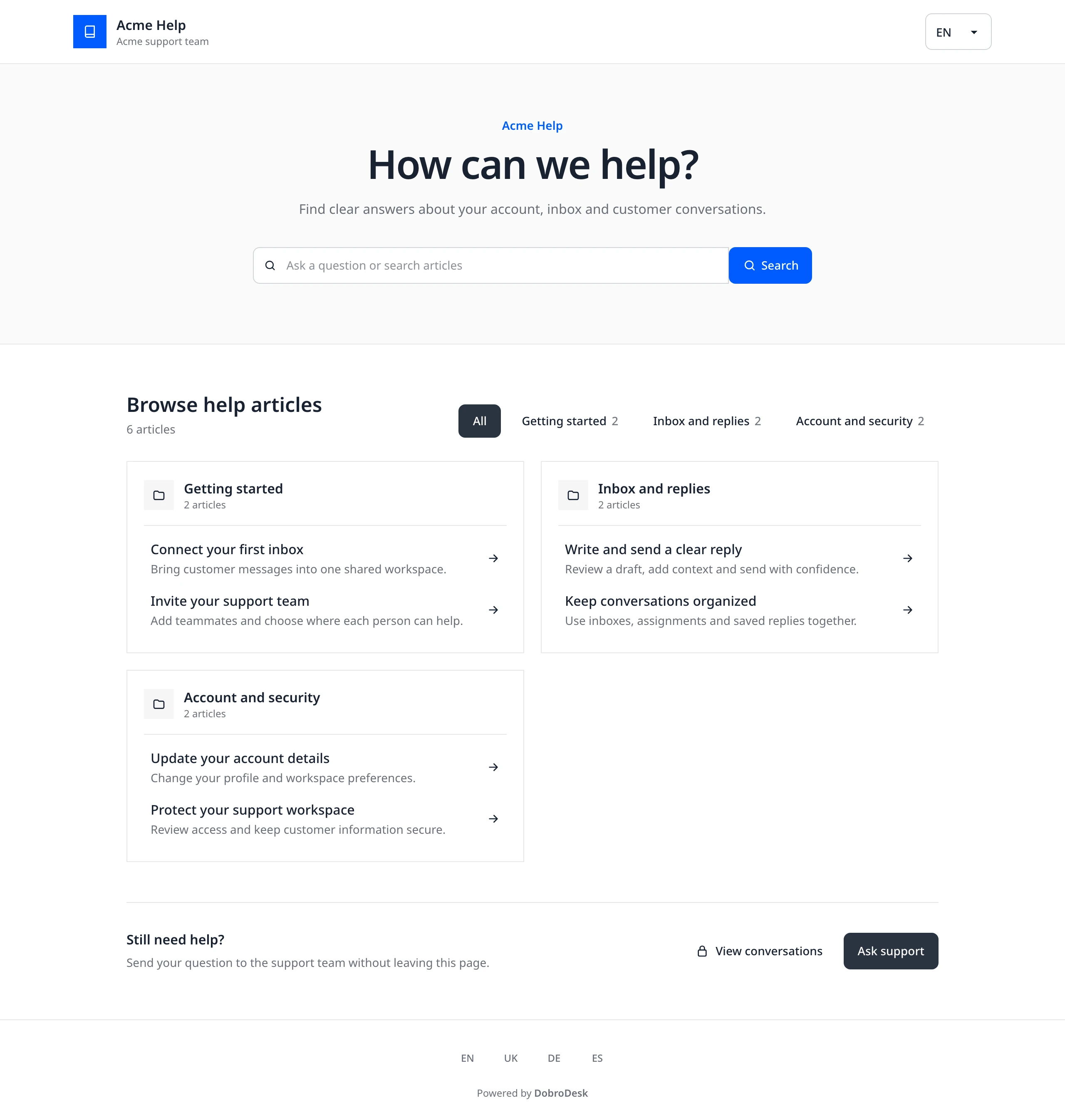
Separate internal knowledge from public help. Your support team may need escalation rules, account verification instructions and exception policies that are unsuitable for an open Help Center. Publication should be a deliberate decision, not an automatic side effect of uploading a document. In DobroDesk, articles are managed in Knowledge and the Help Center determines which approved articles appear publicly. Check the customer view before sharing a link and keep sensitive details out of titles, examples and screenshots.
Test discovery before adding AI
Make answers discoverable through the words customers use. Try the exact article title, a shorter question and a realistic paraphrase. Organize related articles into understandable collections and link between prerequisites and next steps. DobroDesk Help Center search combines lexical and semantic ranking and returns published articles. The search does not itself generate an AI answer. Keep an obvious contact route for people whose situation does not match the explanation. Finding an article and resolving an issue are different outcomes.
Approve AI knowledge separately from publishing. A public article may be useful to read without being sufficient evidence for an automatic reply. Start with approval-only drafts, limit the relevant knowledge to the inbox handling that topic and check whether the proposed answer is supported by the source. Try an ambiguous question and a question with no answer in the knowledge base. The system should not invent a policy merely because the customer expects an immediate response.
Verify handoff and maintain the source
Test the human handoff as part of the same workflow. Ask a routine question, then request a teammate or raise a billing or privacy issue. Check that the conversation reaches a person with its history intact and that someone owns the next action. In DobroDesk, sensitive requests stay with a person and AI drafts require approval by default. Public articles can explain routine steps, but they do not authorize refunds, account deletion or disclosure of private information.
Assign maintenance responsibility and review real outcomes. Update an article when its product screen, policy or prerequisite changes. Review the questions that still reach support after publication and distinguish unclear wording from missing coverage. Track whether readers complete the task, whether teammates can reuse the article and whether drafts cite the right evidence. Publish a small useful collection, test it end to end and expand from observed customer needs. A review date is meaningful only when someone actually checks the content.