Self-service support

Customer knowledge base software with a published Help Center

Create approved support articles, publish a searchable Help Center and decide separately which knowledge AI may use in customer conversations.

No card needed today.

Write once. Help in two places.

Dobrik points to the knowledge behind helpful replies
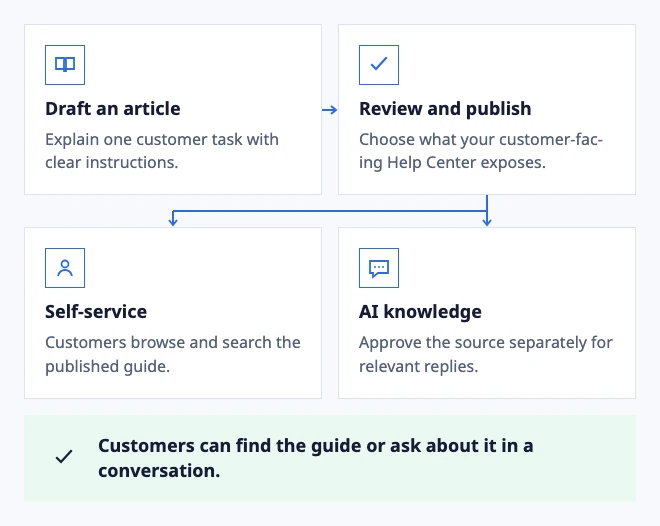
Write once. Help in two places.
  • Draft an article: Explain one customer task with clear instructions.
  • Review and publish: Choose what your customer-facing Help Center exposes.
  • Self-service: Customers browse and search the published guide.
  • AI knowledge: Approve the source separately for relevant replies.

Customers can find the guide or ask about it in a conversation.
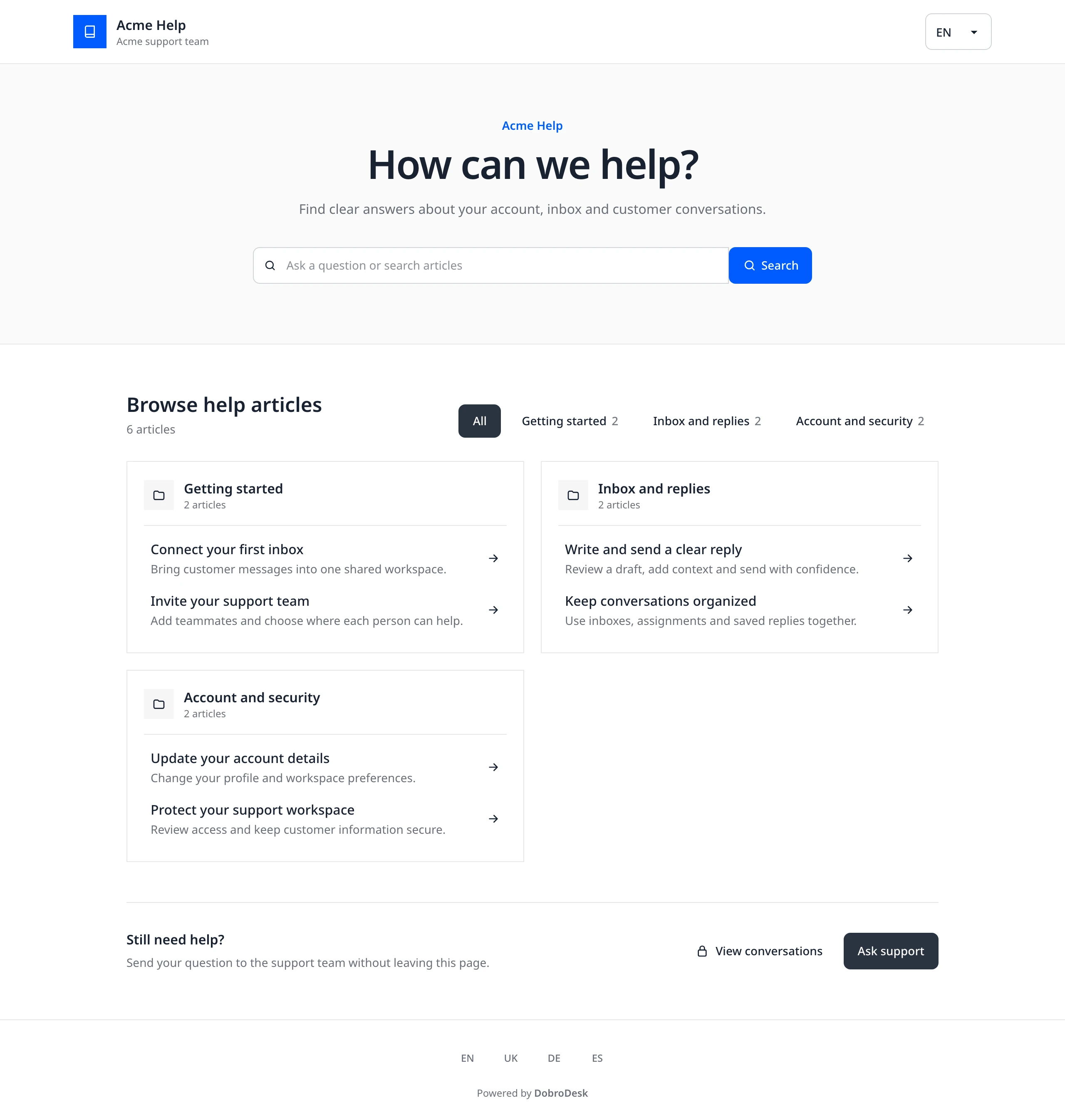
Example: a published guide serves readers and approved AI answers.

In the workflow

What changes once the work is visible.

  1. 01

    Separate customer answers from internal instructions

  2. 02

    Organize articles around the customer's question

  3. 03

    Choose which approved knowledge can inform AI replies

  4. 04

    Keep contact available when an article is not enough

Separate customer answers from internal instructions

A customer knowledge base answers questions people can act on themselves: how to get started, where to find a receipt or what information support needs. Internal escalation procedures and sensitive account details belong in internal knowledge.

DobroDesk keeps article management in Knowledge and controls publication through the Help Center. Publishing an article is an explicit choice. Removing it from a Help Center does not mean deleting the team's source material.

Follow the Help Center publishing guide

Organize articles around the customer's question

Start with a few recurring tasks and use titles your customers would recognize. Put the direct answer before background explanation, then add prerequisites, numbered steps and the expected result. Where a screen matters, include a current screenshot with a useful caption.

DobroDesk Help Center search combines lexical and semantic ranking to return published articles. Search is not the same as an AI-generated answer. Try both your article title and an everyday paraphrase before assuming customers can find the explanation.

Read the practical knowledge base planning checklist

Choose which approved knowledge can inform AI replies

Public visibility and AI access answer different questions. An article may be useful for self-service without being suitable for automatic replies. Set the knowledge scope deliberately and verify the source behind a draft.

DobroDesk works with its own knowledge. Connecting Krynia is optional. Keep approval-only drafts as your starting point and inspect missing evidence before expanding reply automation. An outdated policy should be corrected at its source rather than disguised by a fluent answer.

Explore approved knowledge in the reply workflow

Keep contact available when an article is not enough

A public explanation cannot resolve every customer-specific issue. Preserve a clear route to your team so people can ask about an account, an exception or an unclear instruction. The website widget can offer article search and messaging together.

Review conversations after publishing an article. If customers still ask the same question, check its wording, discoverability and missing steps. Treat the article as a maintained support tool rather than a one-time publishing task.

Connect self-service with website conversations
DobroDesk Help Center with article search, help topics and a contact option
Help people find an answerVisitors can search published articles, browse topics or contact the support team.
Dobrik celebrates a clearer way to resolve customer questions

Start with one inbox

Connect email or add chat to your website.

Choose a support address or place the widget on your site. Then assign requests and reply from the conversation.

No card needed today.