Website conversations

Live chat software that keeps the conversation with your team

Add a support chat widget to your website. Give visitors a way to ask for help and let your team handle the conversation in a shared inbox.

No card needed today.

Help starts where the customer is

Dobrik points to one shared inbox for customer conversations
Help starts where the customer is
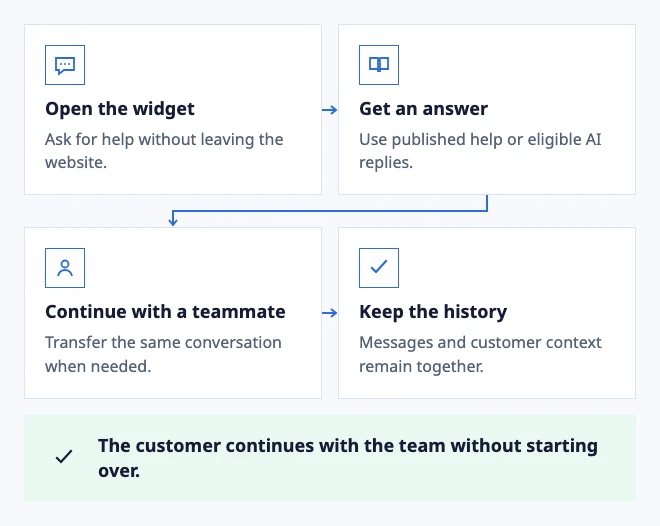
  • Open the widget: Ask for help without leaving the website.
  • Get an answer: Use published help or eligible AI replies.
  • Continue with a teammate: Transfer the same conversation when needed.
  • Keep the history: Messages and customer context remain together.

The customer continues with the team without starting over.
Example: a website question stays in one support conversation.

In the workflow

What changes once the work is visible.

  1. 01

    Tell visitors what happens after they send a message

  2. 02

    Give each website conversation an owner

  3. 03

    Add AI only after the knowledge and handoff work

  4. 04

    Help articles and chat should support each other

Tell visitors what happens after they send a message

Live chat is a channel, not a promise that someone is always online. Show your team's availability and reply expectations before a visitor starts a conversation. A small team can offer website support without pretending to run a round-the-clock operation.

The DobroDesk widget combines a message entry point with Help Center search. Someone with a familiar setup question can look for an article. Someone with an account-specific problem can contact your team. Both paths belong to the same support experience.

See the widget installation and testing guide

Give each website conversation an owner

When a visitor needs a person, route the conversation to the appropriate inbox and assign the next action. Your teammate can review the history, add an internal note and reply without moving the issue into a separate chat dashboard.

Before launch, send a test message from a visitor's browser and follow it through the inbox. Check who receives it, who replies and what the visitor sees after returning to the page. A visible chat bubble is only the first step. The support workflow must work too.

Explore shared inbox ownership and handoffs

Add AI only after the knowledge and handoff work

DobroDesk starts with approval-only AI drafts. Website AI replies require a separate configuration with approved knowledge and a defined scope. Keep billing, privacy, security and other sensitive requests with a person.

Test a question with a clear source, a question your articles cannot answer and a request for a teammate. Review the resulting conversation rather than judging a chatbot from one successful answer. The handoff should preserve what the customer already said.

Understand AI replies, review and human handoff

Help articles and chat should support each other

Write concise articles around recurring customer questions and make their titles recognizable in widget search. When an article does not settle the issue, the visitor still needs an obvious contact path.

Use repeated questions from actual conversations to decide what to explain next. Do not hide contact options merely to increase the number of visitors who never speak to support.

See how the customer knowledge base fits into support
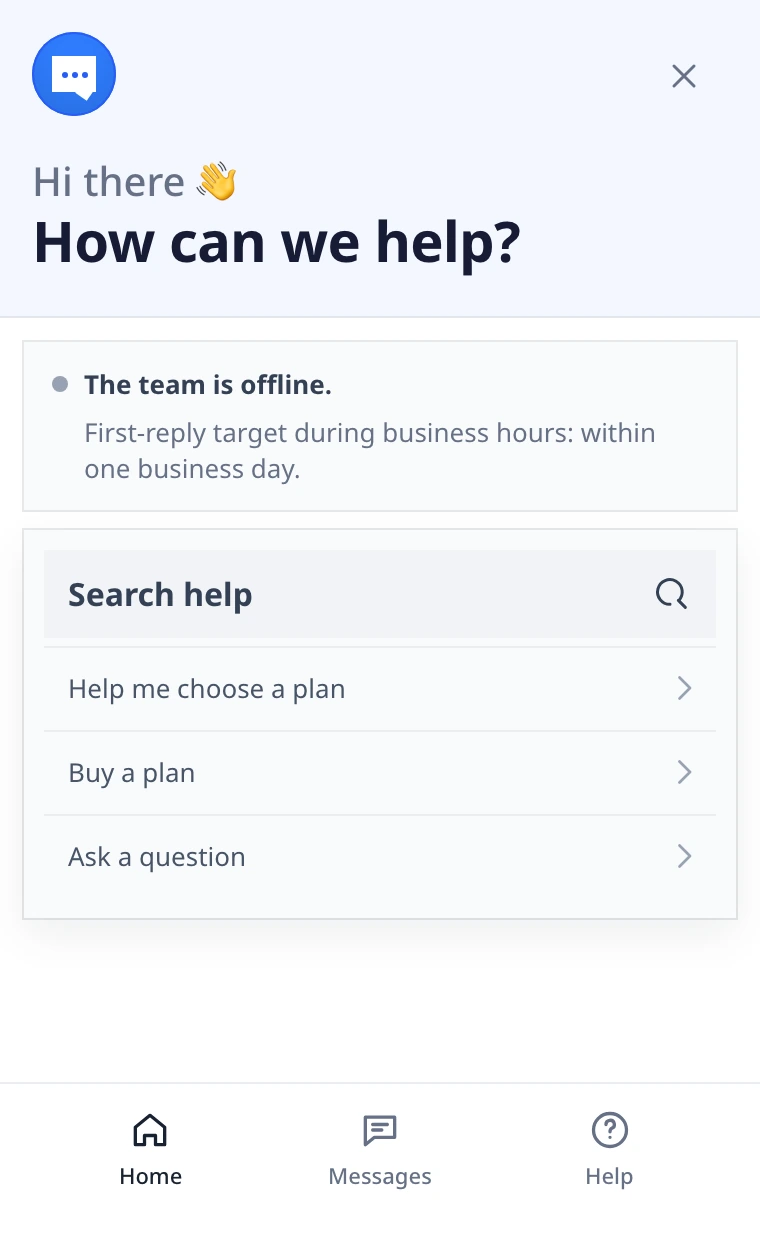
DobroDesk website chat with team availability, reply time and a message field
A clear way to ask for helpThe chat shows when the team is available and where to write a message.
Dobrik celebrates a clearer way to resolve customer questions

Start with one inbox

Connect email or add chat to your website.

Choose a support address or place the widget on your site. Then assign requests and reply from the conversation.

No card needed today.