Zendesk alternative for focused support teams
Compare Zendesk and DobroDesk by email intake, messaging widgets, Help Center search, AI assistance, approvals and the conversation workspace your team uses every day.
DobroDesk fits focused support teams that want email and website conversations in one clear Inbox, with ownership, context and AI review visible before a reply. A Channel, Inbox and Team keep the work understandable from the first message. Zendesk is a strong fit when the team needs its Messaging Web Widget modes, persistent conversations or Agent Workspace.
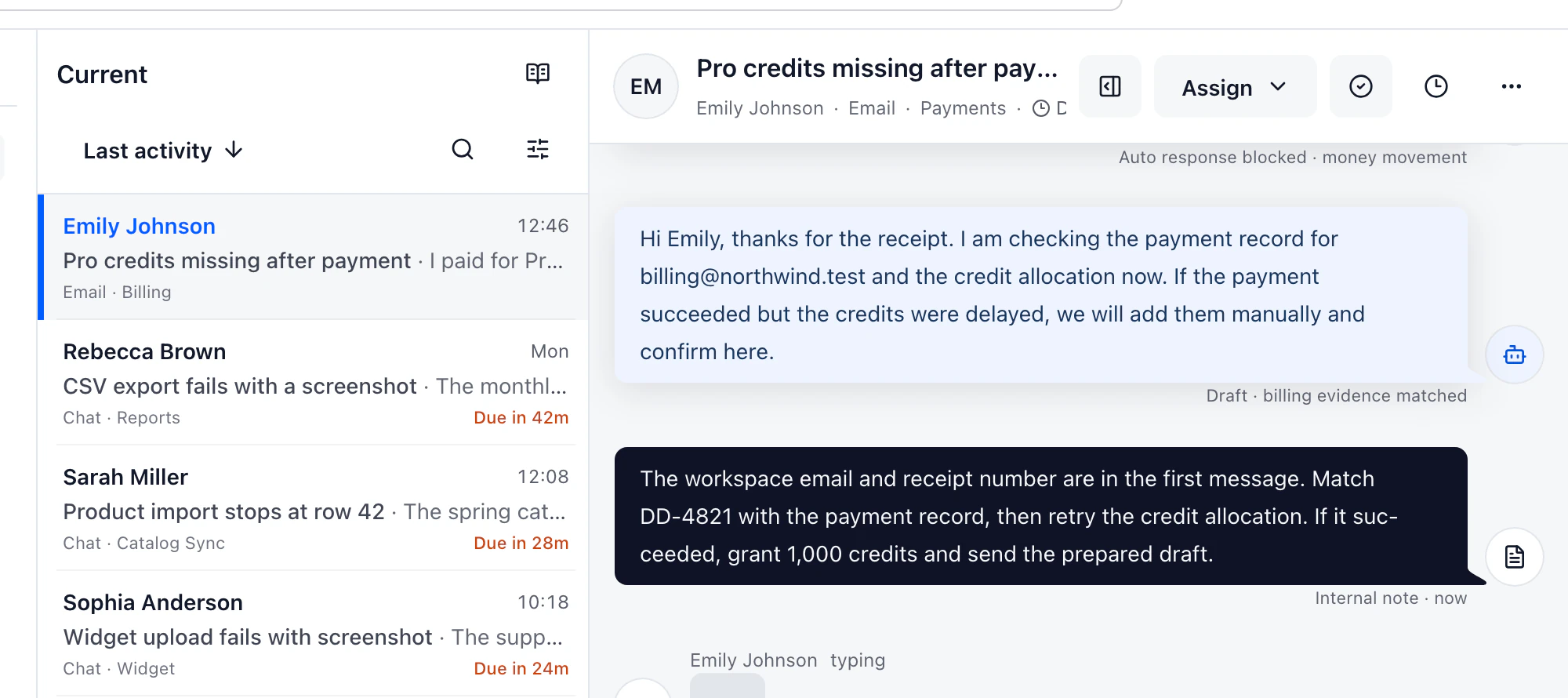
DobroDesk is designed for teams that want a focused support workspace around email and website conversations. A channel answers where the message came from, an Inbox answers where work is handled and a Team answers who can handle it. The customer request remains a conversation with its history, owner, notes and customer context, so the team can follow the next action without reconstructing it from separate ticket views.
Identify the Zendesk widget before comparing it
Zendesk's messaging setup offers a default Web Widget, a preview, appearance controls and installation on a website or Help Center. Its support email documentation explains that messages to support addresses become tickets and that external addresses may require forwarding. Those are useful capabilities to compare with the actual setup work: connect the address, send a message, route it, change the owner and confirm that a reply leaves through the expected channel.
The widget comparison should be explicit about which Zendesk widget is being tested. A team may value Messaging's persistent conversations and social channel switching. Another team may depend on Classic's contextual help, contact forms, callbacks or restricted Help Center content. DobroDesk's current website flow is: install the widget, route the conversation to an Inbox, search approved content and make the customer action understandable before it is confirmed.
Keep AI suggestions separate from authorized actions
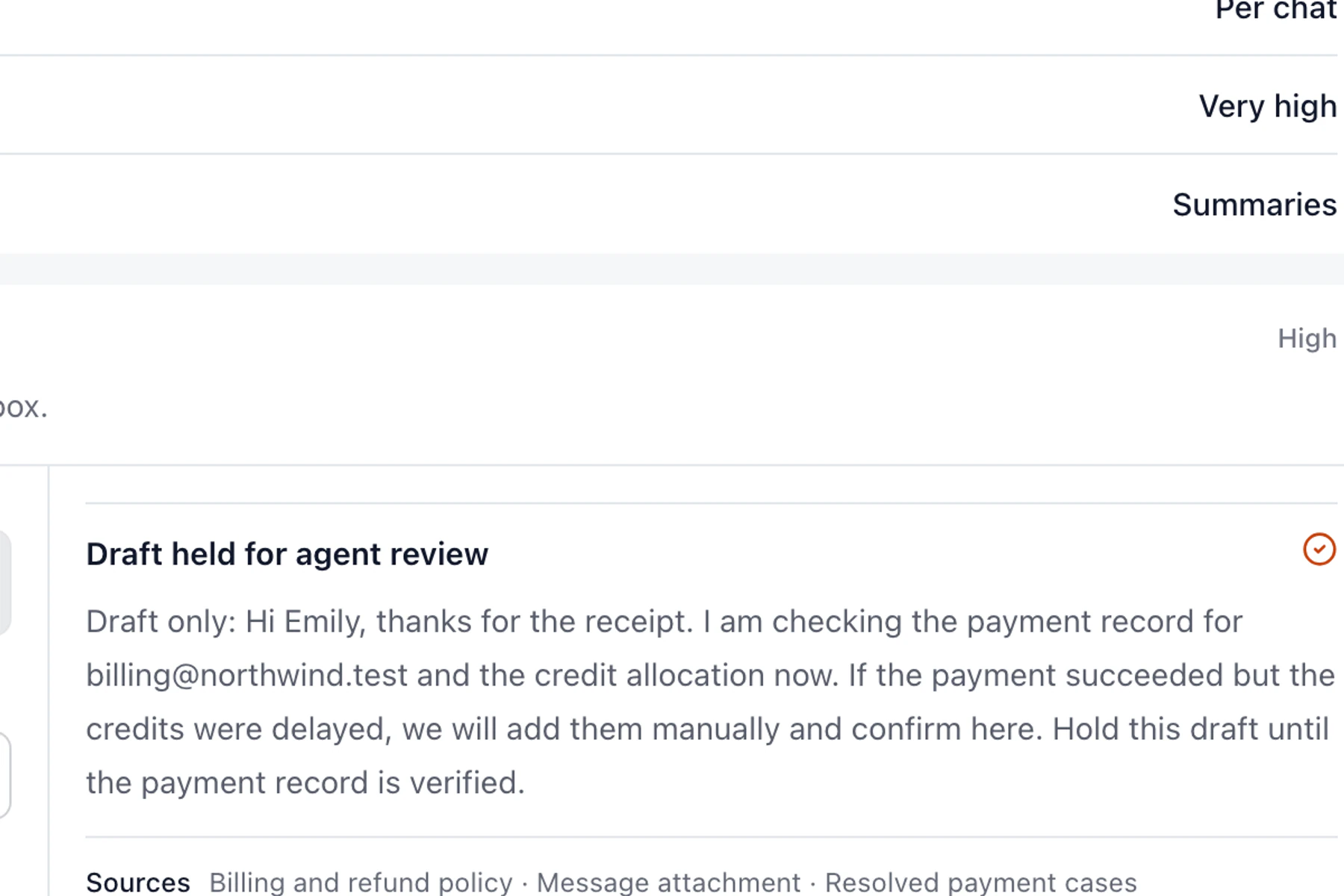
AI should be evaluated as part of the agent's authority. Zendesk documents Agent Copilot features such as suggested replies, macros, summaries, triage and agent-approved actions. DobroDesk also keeps AI close to the conversation, but its released support policy makes the boundary visible: approved knowledge can help with retrieval and drafting while sensitive or weakly supported customer actions stop for an authorized person.
Choose Zendesk when persistent Messaging conversations, social channel switching or its agent workflow are active requirements. Consider DobroDesk when most work arrives through email or the website, occasional collaborators need context without becoming full support agents and the team wants one clear Inbox model with controlled AI review. That is a fit decision, not a claim that one platform can replace every Zendesk deployment.
Test the same difficult requests in both workspaces
Run a matched evaluation with a billing question, an account-access request, an attachment, a private note, a reassignment and a customer follow-up. In Zendesk, record which widget generation and plan settings are active. In DobroDesk, record the Channel, Inbox, Team and AI decision. Ask a teammate who did not configure the test to find the oldest unanswered request and explain who acts next.
The Help Center should be part of the test. Search for an approved answer, open the linked article and then start a conversation when the article does not resolve the issue. For the widget appointment flow, search for a region such as Zagreb and check the signed hour difference before continuing. This connects the public customer experience with the operational conversation instead of testing each surface in isolation.
Make the Help Center part of the conversation
Ask the team to repeat the test without the person who configured the workspace. They should be able to find the conversation, identify the Inbox and owner, tell a private note from a customer reply and explain why an AI suggestion is waiting. If they cannot, the comparison has found a workflow issue that a larger feature list will not solve.
DobroDesk is a focused choice for teams that value clear ownership, conversation context and approval-aware AI. Zendesk remains the better fit when its Messaging widget modes and agent workflow are essential. Let the difficult tickets, widget version and actual handoff rules decide.
Compare the workflow
| What to check | DobroDesk | Zendesk |
|---|---|---|
| Messaging and widget | DobroDesk Focused website conversation flow with Inbox routing | Zendesk Messaging Web Widget and Classic have different capabilities Zendesk Web Widget comparison |
| Email intake | DobroDesk Support email becomes a conversation in an Inbox | Zendesk Messages to configured support addresses become tickets Zendesk support addresses |
| Agent work | DobroDesk Channel, Inbox, Team, customer context and notes stay distinct | Zendesk Agent Workspace handles messaging activity and ticket routing Zendesk messaging setup |
| AI review | DobroDesk Evidence and risk policy keep sensitive actions with a person | Zendesk Agent Copilot suggests and can perform agent-approved actions Zendesk Agent Copilot |
Continue with the related guide
- Verify the first email conversation
- Learn the Channel, Inbox and Team model
- Triage and reply in the Inbox
- Review approved knowledge and AI boundaries
- Review a customer widget action before confirmation
Official product documentation
Documentation checked on