
Short answer
Google Workspace already offers two useful ways to share email: Gmail delegation and Google Groups Collaborative Inbox. Delegation works when a few people manage one mailbox. Groups adds assignment and completion. A support inbox becomes useful when the team also needs private notes, customer history, service targets, safe handoffs and reporting while keeping the Gmail address customers know.
The right setup depends less on team size than on what must happen after an email arrives. If one assistant answers for one person, delegation is usually enough. If a group needs to take and complete requests, Google Groups can cover a straightforward queue. If support, billing and operations hand conversations between people and need a durable customer record, the team is managing work rather than merely sharing access to mail.
DobroDesk connects a dedicated Gmail or Google Workspace mailbox, receives new messages in a selected Inbox and sends replies from the same address. Recent mailbox history can be imported during setup. Google Groups and aliases may forward mail, but they are not Gmail API mailboxes, so a direct DobroDesk connection uses a dedicated mailbox account. That distinction matters when planning the change.
Choose between delegation, Google Groups and a support inbox
Gmail delegation gives another person access to read, send and delete mail in a mailbox without sharing its password. It is a good fit for an assistant, a temporary cover arrangement or a very small team whose work is obvious from the inbox itself. Delegation provides access. It does not by itself create a queue model with one accountable owner, a service target and a record of why the conversation moved.
Google Groups Collaborative Inbox goes further. Google documents assignment, taking a conversation, marking work complete and filtering by assignment status. Those controls can be enough for a team answering a shared address with a simple process. A customer support inbox adds a customer record, internal notes, collision protection, routing between Inboxes and a history that remains usable when teammates or responsibilities change.
- Use delegation when one or two trusted people manage one mailbox.
- Use Collaborative Inbox when assignment and completion cover the process.
- Use a support inbox when the message needs customer, service and handoff context.
- Do not share one Google account password as a collaboration method.
Keep the Gmail address and change the team workflow behind it
Customers should not need to learn a new address because the support team adopted a better workspace. Connect the dedicated support mailbox such as support@ or help@, choose the DobroDesk Inbox that receives new conversations and authorize the same mailbox for replies. A reply still arrives from the address the customer used. The operational change happens behind that address.
Use a dedicated Google Workspace mailbox rather than a personal employee account. The company should retain the connection when someone leaves. Decide who can administer the channel, who can access the destination Inbox and which Team may be assigned. DobroDesk separates the Channel, Inbox and Team so the source address does not become the same thing as the group of people currently handling the work.
- Connect the exact mailbox that should receive and send customer mail.
- Route it into a named Inbox such as General, Orders or Payments.
- Grant access through Teams instead of mailbox credentials.
- Send a real inbound and outbound test before moving production mail.
Make ownership visible without changing the customer thread
In a normal mailbox, unread does not mean unowned and read does not mean handled. Two people can open the same message and both reply, or each can assume the other person is working on it. Labels help categorize mail but they do not always show who is accountable now. A support queue needs separate states for unassigned, assigned, waiting, resolved and at risk.
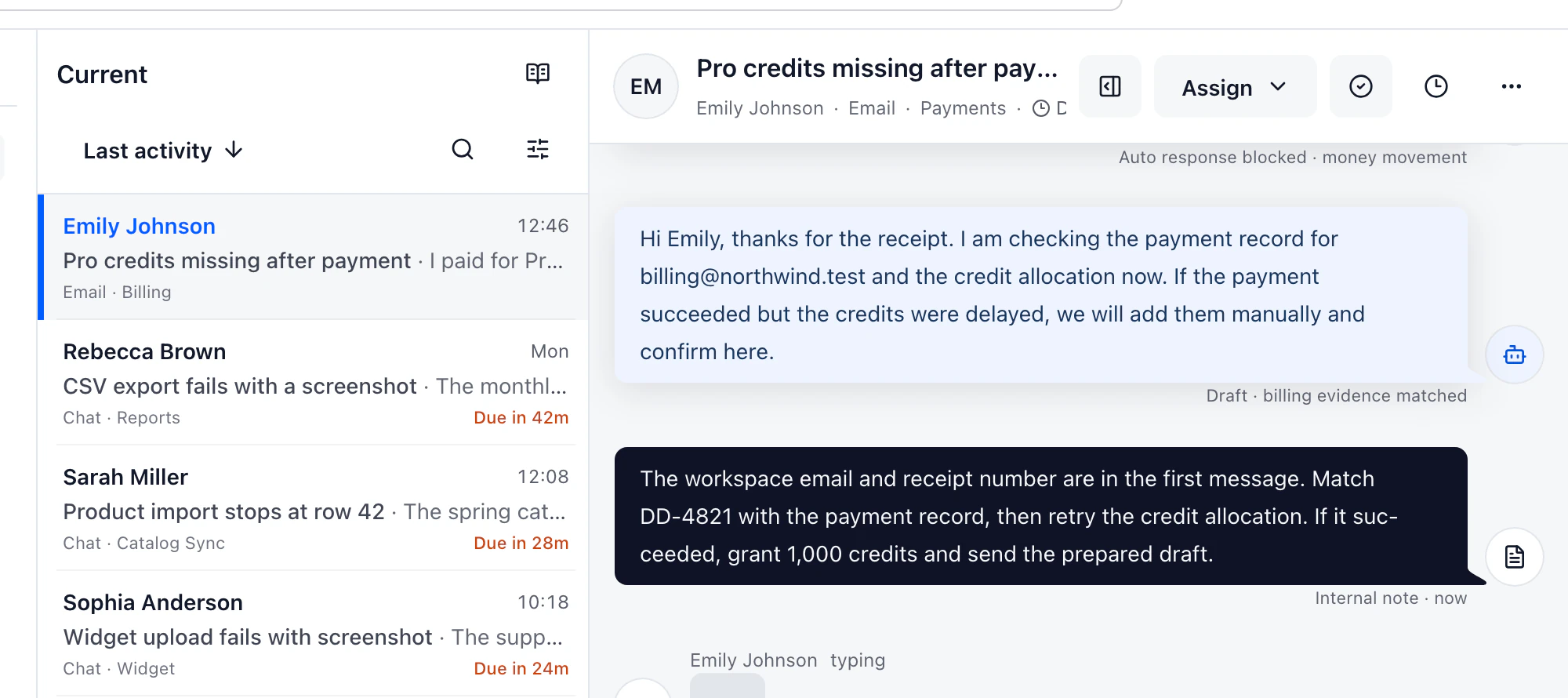
DobroDesk does not claim a conversation merely because someone opened it. A teammate takes or receives ownership explicitly. Another person can add a private note, reassign the work and preserve the reason for the handoff beside the customer timeline. The customer still sees one email thread. The team sees who owns the next action and what has already been decided.
- Opening a conversation should not silently assign it.
- A private note should stay out of the customer reply.
- Reassignment should preserve the reason and previous decisions.
- Queue views should expose unassigned and overdue work without a spreadsheet.
Import only the mailbox history the team will actually use
A clean move does not require copying every newsletter and automated notification from a ten-year mailbox. Choose a recent period that contains active customer relationships and unresolved issues. DobroDesk imports every message in conversations active during that period, so the thread has context rather than a single latest reply. Run the import before switching the team and review counts and gaps.
Keep the source mailbox available during validation. Check several long threads, messages with attachments, sent replies and customers who wrote from more than one address. Decide how old unresolved mail will be handled and where the cutover starts. The useful result is a support queue the team trusts on day one, not the largest possible archive.
- Choose a history window based on active customer work.
- Test long threads, attachments and sent messages before cutover.
- Reconcile imported counts with the source mailbox.
- Keep the old mailbox read-only until the team accepts the result.
Define the operating rules before adding automation
Start with responsibility. Name the person who monitors unassigned work, define when billing or technical questions move to another Inbox and agree when a conversation is waiting on the customer. Add service targets only after those states are understood. Otherwise a dashboard can count time without helping anyone decide what to do next.
AI drafts should follow the same boundary. A draft may save time on a routine question, but legal, billing, privacy, security, deletion and angry-customer cases need human review. DobroDesk keeps approval rules attached to the support workflow. Automation should reduce repeated work while the named owner remains responsible for the response.
- Name an owner for the unassigned queue on every working shift.
- Write handoff rules for support, finance and operations.
- Define waiting and resolved before measuring response targets.
- Require human review for sensitive or irreversible replies.
Use a real week of email to decide whether the switch helped
A demo with three tidy messages cannot reveal whether the workflow fits. Test one normal week with the address and people who will use it. Include a duplicate reply risk, a customer who follows up, an issue that moves to finance, an attachment and a teammate who is absent. Observe whether the next owner can act without asking for context in a separate chat.
At the end, compare missed unassigned messages, duplicate replies, first response time and the time spent finding context. Also ask whether the team can explain the queue without a private convention. If Google Groups already handles the work cleanly, keep it. If important decisions still live in chat, labels and memory, a support inbox has a concrete job to do.
- Pilot with the real support address or a safe copy of its traffic.
- Include handoffs and absences, not only easy first replies.
- Measure missed work and duplicated effort before and after.
- Keep the simpler Google option when it genuinely covers the process.
Google Workspace shared inbox options compared
All three options can keep email inside the Google Workspace environment. The key difference is the operational record created after access is shared.
| Need | Gmail delegation | Google Groups Collaborative Inbox | DobroDesk with Gmail |
|---|---|---|---|
| Shared access | Mailbox delegates | Group members | Inbox members through Teams |
| Ownership | Team convention | Take and assign | Explicit owner, queue state and handoff |
| Internal context | Labels or separate chat | Group conversation controls | Private notes beside customer history |
| Customer record | Mailbox search | Group history | Customer, company and conversation timeline |
| Service operations | Manual | Completion status | Inboxes, service targets, reporting and review rules |
A safe cutover checklist
Run the setup beside the existing process until both receiving and sending are proven. The team should know exactly when the new queue becomes the source of truth.
- 1.Create or confirm a company-owned dedicated Google Workspace mailbox.
- 2.Connect it to DobroDesk and select the destination Inbox.
- 3.Import a deliberate recent history window and reconcile the result.
- 4.Test inbound mail, outbound reply, attachments and thread continuity.
- 5.Invite the Team and verify access without sharing mailbox credentials.
- 6.Publish ownership, handoff and sensitive-reply review rules.
- 7.Switch the operating process and keep the source mailbox available for validation.
Sources and product instructions
Google's documentation describes the controls available in Groups. DobroDesk Help describes the exact connection and history import supported by the product.
Continue with the exact setup
Shared inbox product page
See ownership, private notes and shared queue states in the product workflow.
Shared inbox vs shared mailbox
Compare the operating model before replacing a mailbox process.
Email support software
Review the broader customer support workflow around email.
DobroDesk alternatives comparison
Compare workflow, migration and list-price basis with established help desks.
Test the address your team already uses
Connect a dedicated Google Workspace mailbox, import a small recent history window and run a real support week. Keep the switch only if ownership and handoffs become clearer.
Start free