Use case

Customer support inbox with shared ownership

Run support@ as one visible queue with clear ownership, internal collaboration and AI help for repeat questions in one conversation.

No card needed today.

An inbox that shows who needs help

Dobrik points to one shared inbox for customer conversations
An inbox that shows who needs help
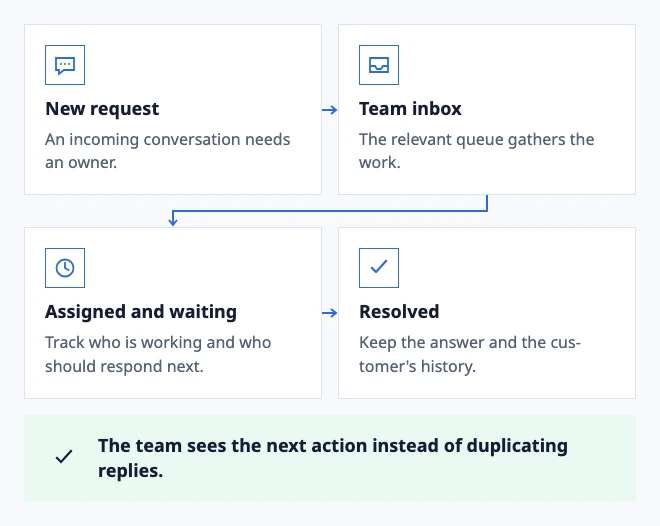
  • New request: An incoming conversation needs an owner.
  • Team inbox: The relevant queue gathers the work.
  • Assigned and waiting: Track who is working and who should respond next.
  • Resolved: Keep the answer and the customer's history.

The team sees the next action instead of duplicating replies.
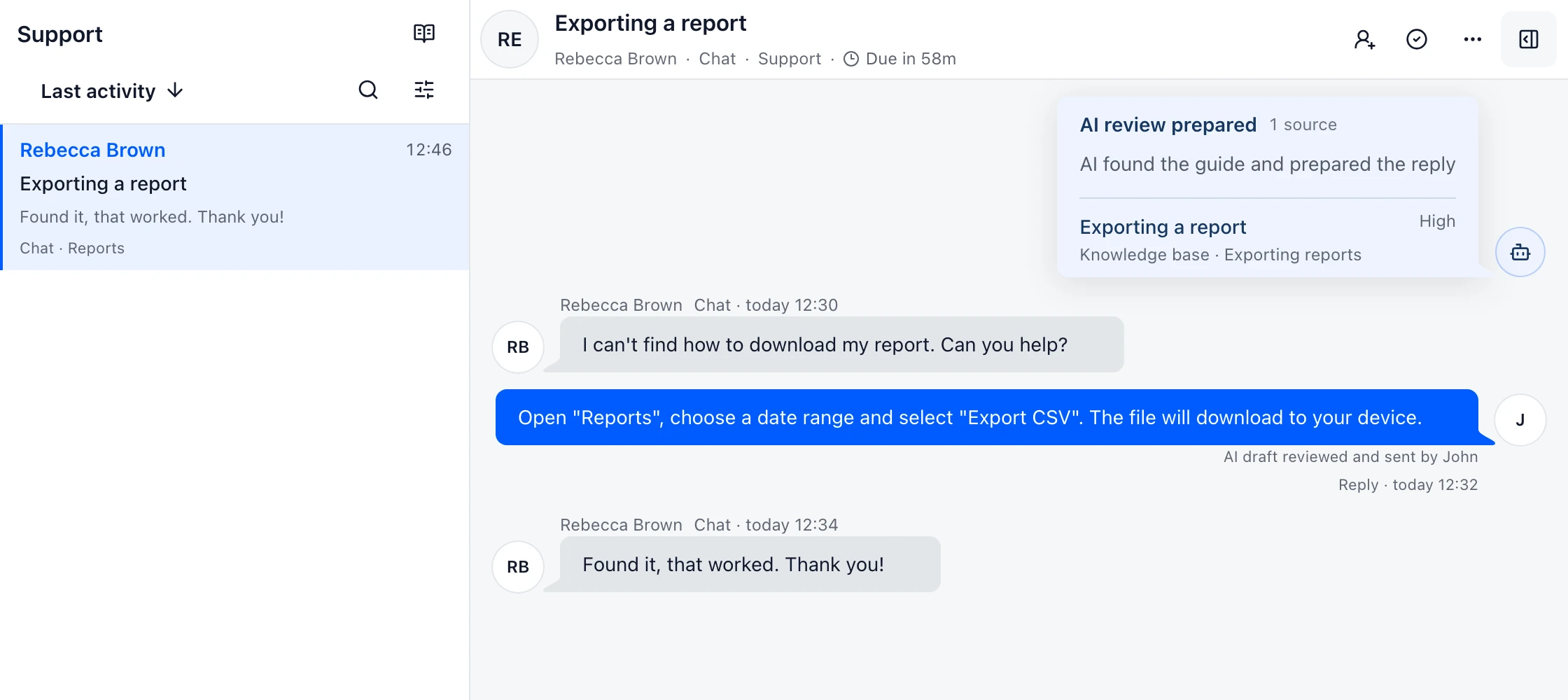
Example: separate new work, waiting conversations and resolved requests.

In the workflow

What changes once the work is visible.

  1. 01

    Route a new support@ message to the intended Inbox.

  2. 02

    Assign it, leave a private note and reply from one timeline.

  3. 03

    Filter for unassigned or at-risk work without changing the open conversation.

Give every question a next step

See new and unassigned work in the queue. Open a request, choose its owner and reply with the customer history at hand. Private notes keep the team coordinated.

When the customer writes again, the conversation keeps its context. Your teammate can continue helping instead of asking for the same details.

Define response targets and business hours

Turn queue signals into a better customer reply

Use the oldest unanswered conversation, an SLA warning or a repeated question as a prompt to improve the workflow. Open the thread behind the signal before changing a rule or adding another article.

A support Inbox should make the next action obvious: answer, ask for one missing detail, move to a specialist or wait for the customer. That small decision is more useful than a queue full of indistinguishable statuses.

Route and assign support conversations

Measure the first useful response, not only speed

A quick acknowledgement can still leave the customer waiting. Review whether the first reply answers the question, asks for the one missing detail or explains the next owner and timing.

Use the conversation behind an SLA signal to improve routing, a saved reply or an article. The goal is a customer who knows what happens next, not a smaller timer alone.

Set useful response targets
Example support conversation in DobroDesk
Exporting a reportKnowledge base · Exporting reports

See support work in one Inbox

Keep customer messages, ownership and the next action together so the team can move a conversation forward without losing context.