
What you'll achieve
AI drafts or automatic replies run only in the scope and confidence range you approve.
Set the reply mode by scope
Open Settings > AI & Automation > Reply mode.
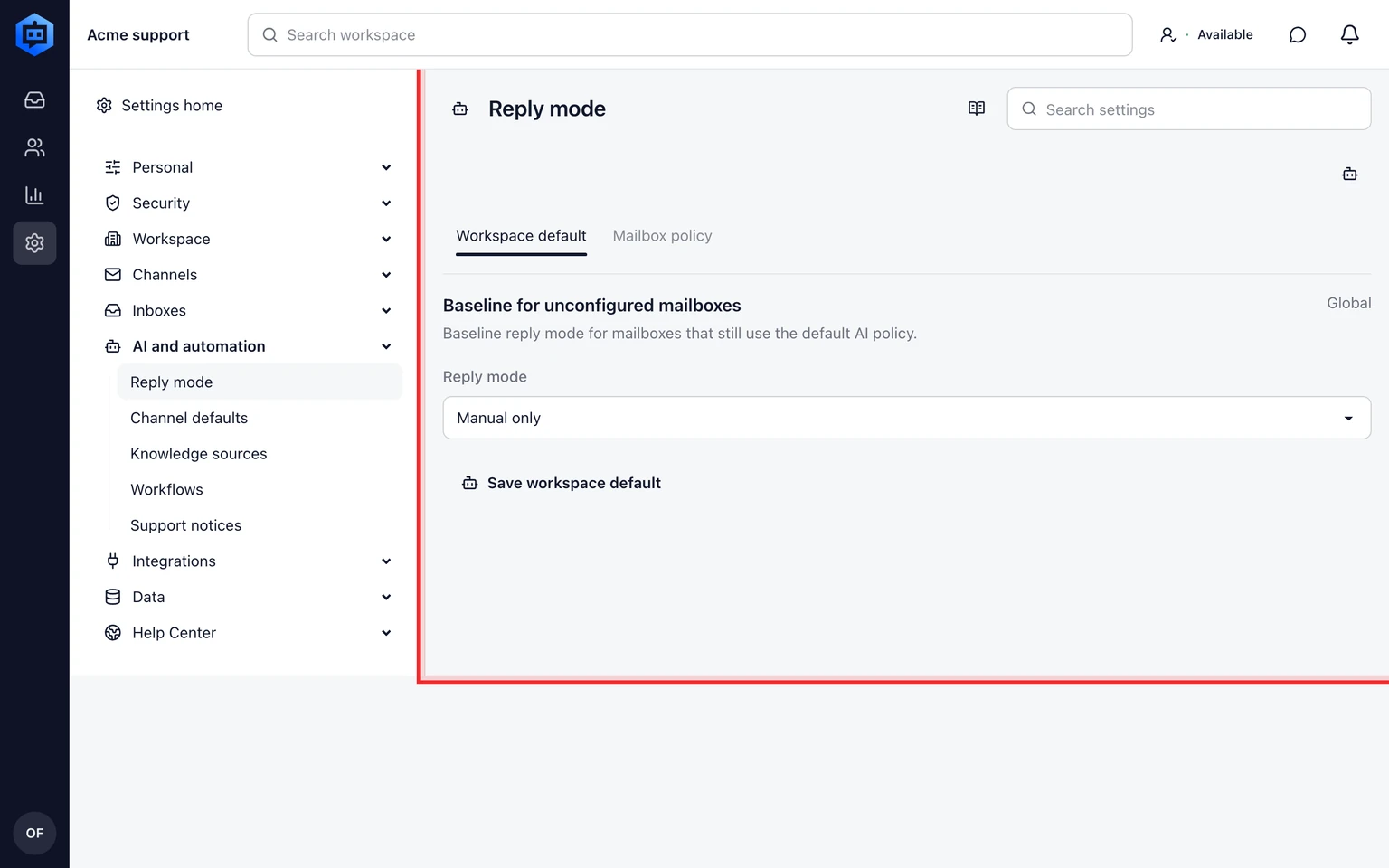
Set the workspace default to Manual, Approval required or Automatic.
Add a Mailbox exception only when one email connection needs a different policy.
Use Channel defaults when email, widget or API intake needs a different starting mode.

A Mailbox is the connected email address. An Inbox is the work queue that receives the conversation. Moving a conversation to another Inbox does not change the Mailbox AI exception.
Choose the response style
- In the workspace default, choose Neutral, Friendly or Business tone and Concise or Explanatory detail, then save.
- The style applies to text and voice answers across the workspace. Friendly and Concise are the defaults.
- Voice selection is separate. Tone and detail never change permissions, required confirmations or sensitive-case handoff.
Keep sensitive work with a teammate
- Automatic replies require approved knowledge and the configured confidence threshold.
- Billing, legal, privacy, deletion, abuse, security and angry-customer cases remain manual.
- Test representative questions and review the decision log before enabling automatic replies.