
What you'll achieve
Teammates can resolve common order requests without switching between DobroDesk and Shopify.
Connect Shopify
New Shopify connections are not available yet while DobroDesk completes Shopify approval. The steps below describe the setup after access opens; you do not need to create a Shopify app or supply API secrets.
Open Settings > Integrations > Data integrations.
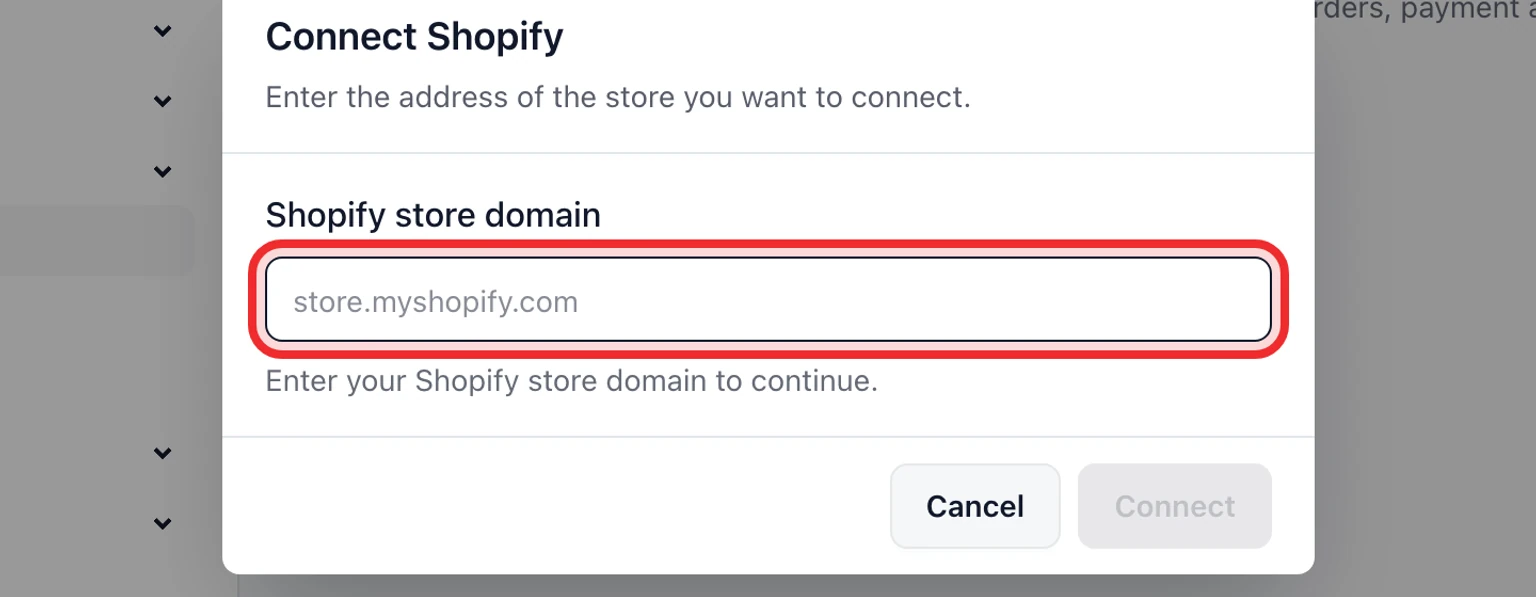
Under Shopify, enter the exact .myshopify.com store domain, such as store.myshopify.com, then choose Connect.
Sign in to Shopify and approve customer and order access for that store.
Repeat for any additional stores. One Workspace accepts up to ten Shopify stores.
Return to DobroDesk, open a known customer and confirm the Shopify context is available.

How Shopify context works
DobroDesk matches customers by verified email and shows up to ten recent orders from each connected store. Disconnecting stops future Shopify reads and actions without deleting conversations or customer-authored messages.
Refund or cancel an order

Open the conversation and find the order in its Shopify section.
Choose Refund remaining amount or Cancel order. You need the Manage commerce actions permission.
Review the amount or cancellation options, add an internal note and confirm once.
If Shopify does not confirm the result, open the linked order before trying again.
DobroDesk verifies the current refundable amount, prevents duplicate submissions and records the action in the audit log.